


Implementing schema for business directories is one of the highest‑ROI technical SEO moves you can make. It helps search engines understand your listings, powers rich results (stars, prices, hours), and feeds AI search systems with clean, machine‑readable business data. For a platform like Listuro, the right structured data setup can be the difference between “just another directory” and a trusted source that Google, Bing, and AI assistants love to surface.
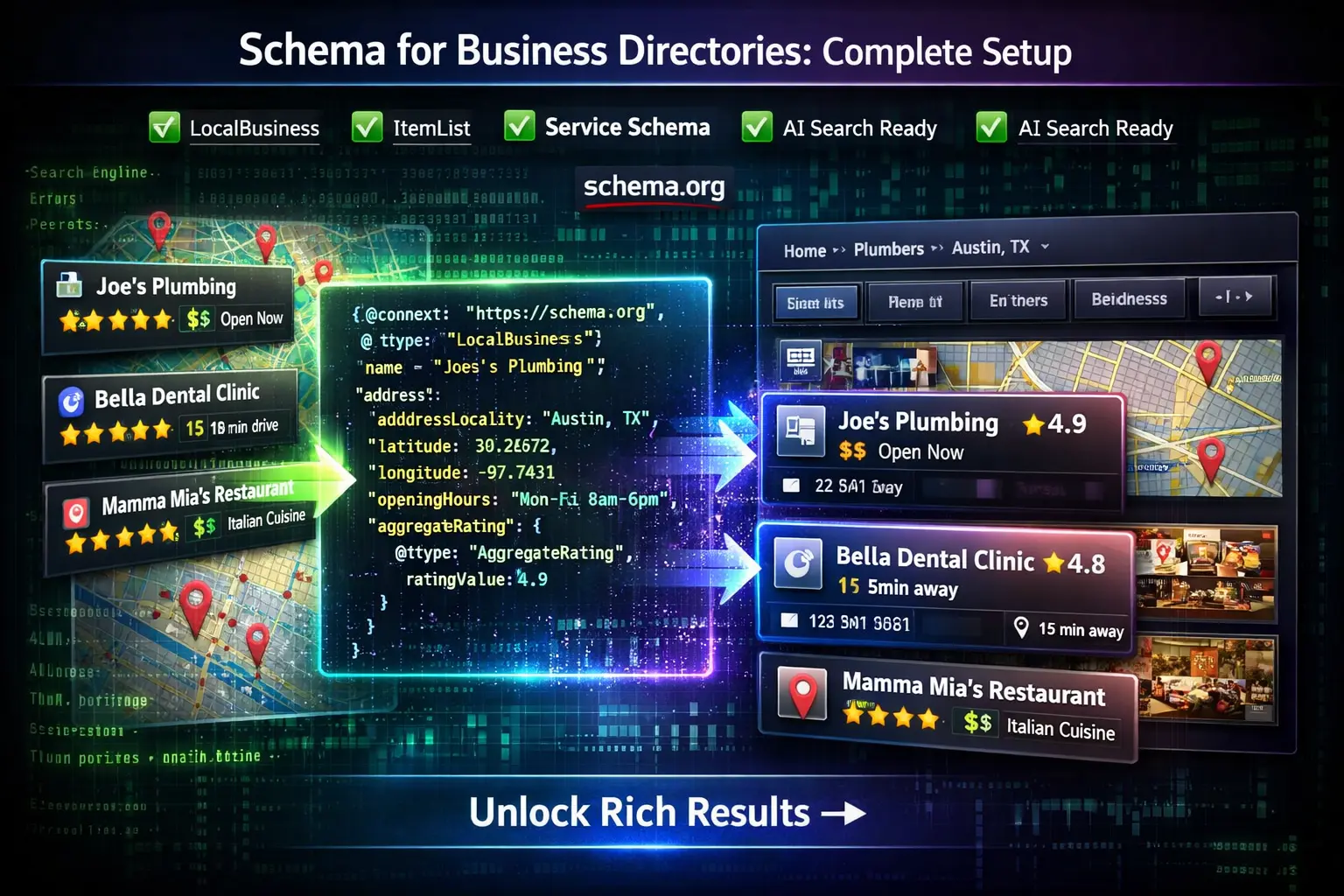
This guide walks through a complete, practical schema setup for directory owners: which types to use, where to use them, how to structure the hierarchy, and how to avoid common mistakes.
Why Schema Matters for Business Directories
Directories are built on structured information: name, address, phone, services, ratings, and more. Schema.org and JSON‑LD simply formalize this in a way search engines can understand at scale.
When you implement schema for business directories correctly, you can:
- Enhance listings with rich snippets like ratings, price range, and opening hours.
- Improve local relevance by clearly indicating geo coordinates, city, and service area.
- Help AI search and knowledge systems categorize and trust your data.
- Clarify multi‑location and multi‑department businesses for better local rankings.
For Listuro, that means your city pages, category pages, and business profiles can all send precise signals that reinforce each other.
Core Schema Types for Business Directories
There are many schema types, but you don’t need all of them. The most important schema for business directories are:
- LocalBusiness – for physical locations and local service businesses.
- Organization – for company‑level info, especially B2B or franchises.
- Place – for locations that may not be traditional “businesses” (parks, venues).
- Service – for describing specific services a business offers.
- ItemList – for lists of businesses on category, city, or search results pages.
- AggregateRating and Review – for ratings and reviews, when you genuinely collect them.
Think of it as three layers:
- Directory layer (your platform) – Website / Organization schema.
- List layer (category, city, search pages) – ItemList + some context.
- Listing layer (individual business pages) – LocalBusiness / Organization + ratings, services, etc.
Global Schema for the Directory Itself
Start by describing your directory as an entity.
On Listuro’s main domain and about pages, implement:
WebSite– describing the site, search functionality, and target.Organization– describing Listuro as a company or platform (name, logo, URL, contact).
Key properties to include:
name– “Listuro” or your brand name.url– canonical homepage URL.logo– your logo image.sameAs– links to social profiles.contactPoint– business contact details (for platform inquiries).
This doesn’t directly describe individual businesses, but it builds trust and establishes your directory as a known source.
ItemList Schema for Category and City Pages
Any page that lists multiple businesses (e.g., “Plumbers in Austin” or “Restaurants in Karachi”) should use ItemList.
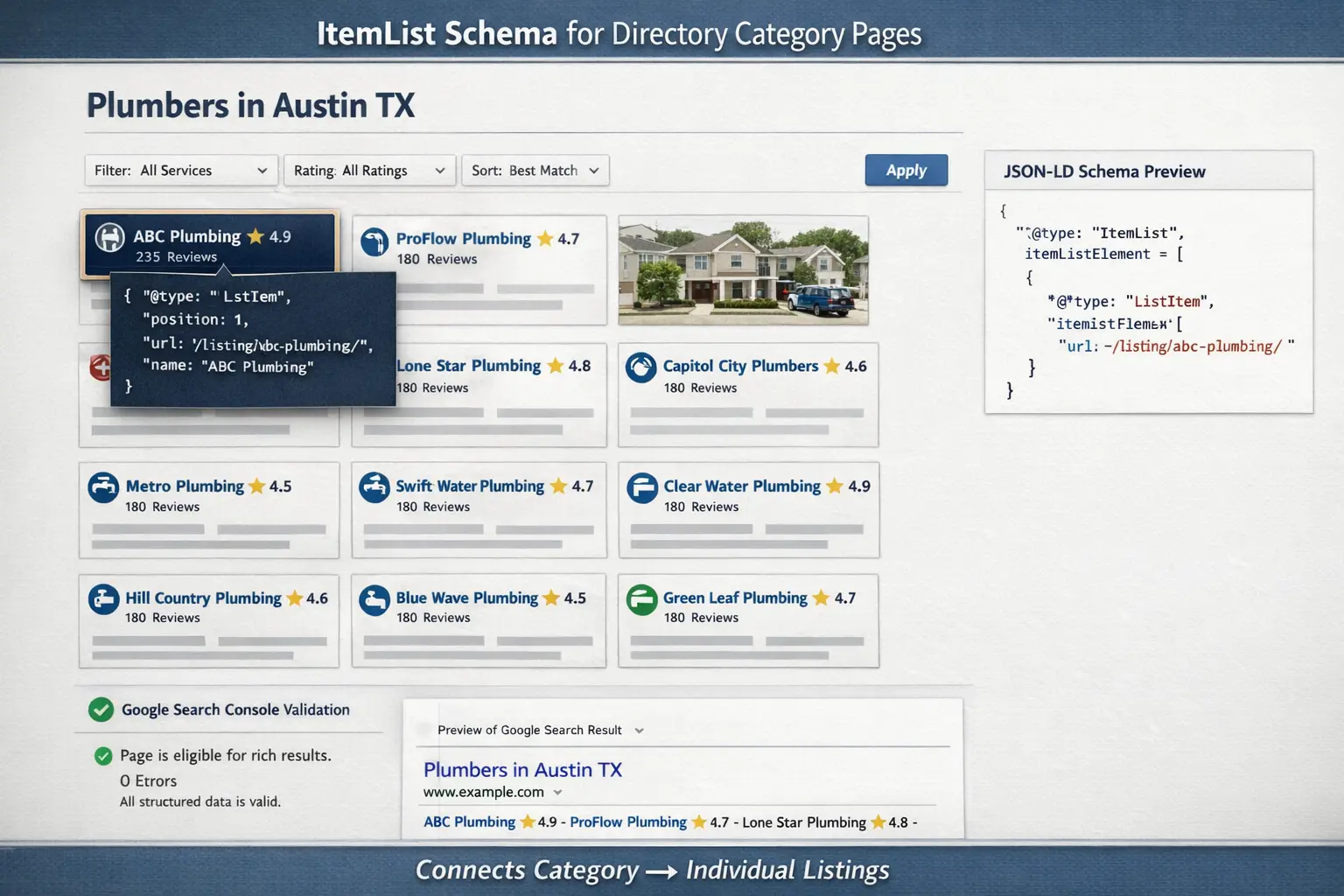
Why? Because ItemList tells search engines:
- “This page is a list of things.”
- “Here are the items, their URLs, and optional ranks/positions.”
How to structure ItemList
On a page like /plumbers/austin-tx/:
- Use
ItemListas the top‑level or nested within another type. - Add each business as a
ListItemwith apositionandurl.
You can also add some context fields (city, service type) in normal HTML and page copy; the list itself stays focused on the items. This is a foundational part of schema for business directories because it connects your category pages to each listing in a structured way.
LocalBusiness Schema on Individual Listing Pages
The heart of schema for business directories is per‑listing LocalBusiness markup. This is what powers most local rich results and helps AI systems align your listing with other sources.
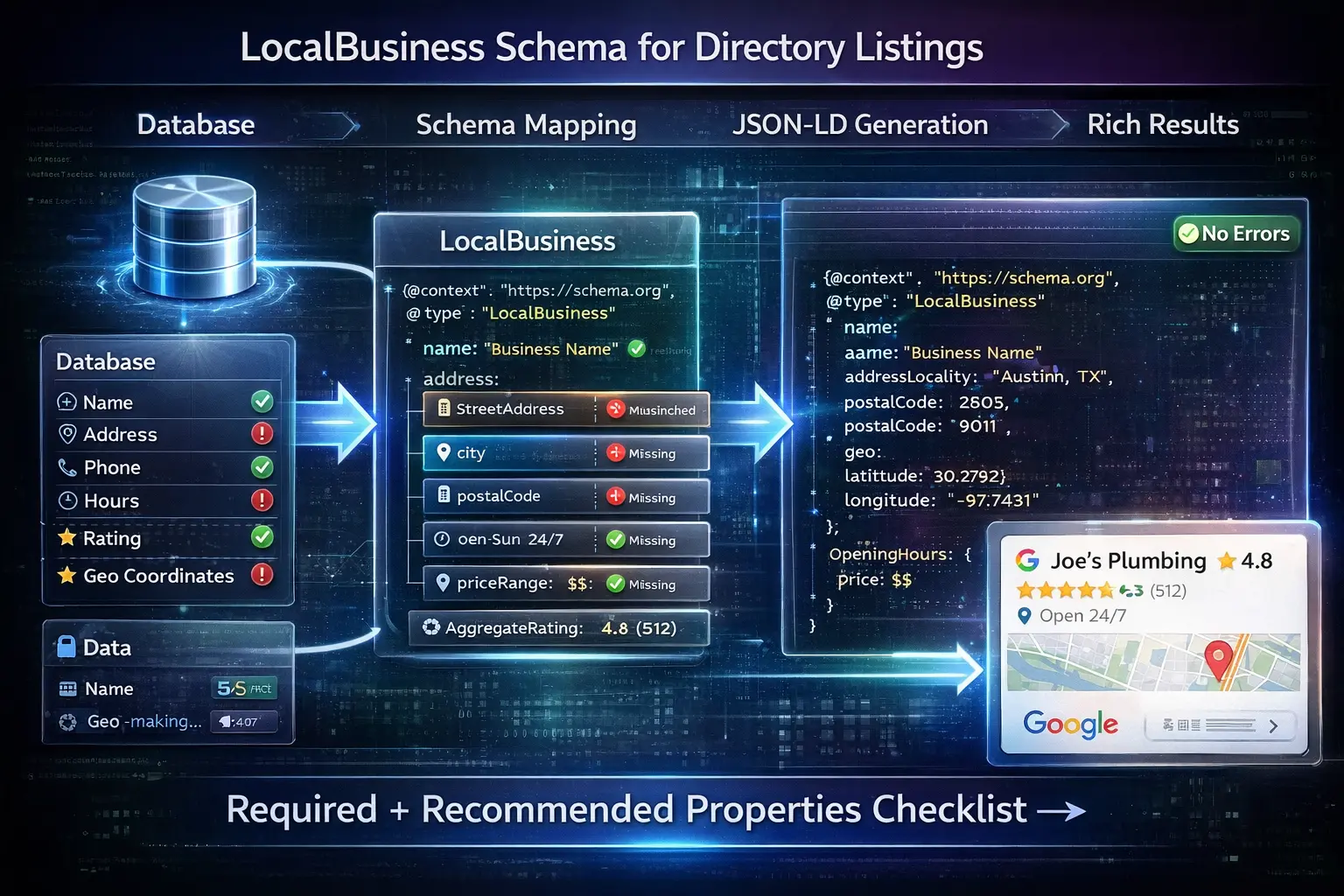
On each business detail page, you should:
- Use a single primary
LocalBusiness(or a subtype likeRestaurant,Dentist,Plumber). - Ensure the name, address, and phone match what’s displayed on the page and in the HTML.
- Include as many recommended properties as you can: geo, opening hours, price range, etc.
For franchises or brands with multiple locations, pair this with Organization and link the two (more on that below).
Organization + LocalBusiness for Multi‑Location and B2B
Many directory listings represent:
- A brand or chain (Organization) with multiple physical locations (LocalBusiness).
- A B2B company with offices in different cities.
In these cases, schema for business directories should:
- Use
Organizationto represent the company. - Use
LocalBusinessentities for each branch/location. - Connect them using
parentOrganization/subOrganizationorlocation.
This helps search engines understand that:
- The Dallas office and Austin office are part of the same company.
- Each has its own NAP and local relevance.
It’s especially important for medical, franchise, and B2B directories where brand relationships matter.
Service Schema to Describe What Businesses Do
Beyond who and where, search engines care about what a business offers. Service schema lets you describe:
- Service type (e.g., “Drain cleaning”, “Teeth whitening”, “Emergency plumbing”).
- Provider (which LocalBusiness or Organization delivers it).
- Area served (city, region, country).
You can implement Service in two main ways:
- Nested within
LocalBusinesson the listing page. - On informational pages (e.g., a guide to a specific service type) linking back to relevant listings.
This is especially powerful for service‑based directories (home services, legal, medical, marketing agencies, etc.).
Ratings, Reviews, and AggregateRating
If your directory collects its own ratings and reviews, you can use:
AggregateRating– average rating and count.Review– individual review objects.
However, you must follow guidelines:
- Only mark up ratings that appear on the page.
- The directory must be the original collector of reviews, not just aggregating from other sites.
- Don’t mark up fake or auto‑generated reviews; only real user feedback.
When used correctly, this part of schema for business directories can unlock star ratings in search results and stronger social proof.
Handling Multi‑Location and Department Structures
Real‑world businesses can be complex:
- A hospital with separate departments (ER, radiology, pediatrics).
- A big retail store with pharmacy and auto center.
- A large company with hundreds of local offices.
The best practice for schema for business directories is:
- Use the
departmentproperty to represent distinct departments with their own contact info and hours. - Use
parentOrganizationandsubOrganizationfor multi‑location companies. - Create separate pages and schema for each location where practical, instead of trying to cram everything into one object.
This keeps things clear for search engines and avoids merging separate entities into one messy profile.
JSON‑LD vs Microdata vs RDFa (Use JSON‑LD)
For modern implementations, JSON‑LD is the best way to implement schema for business directories:
- Easier to generate programmatically from your database.
- Cleaner to maintain as your layout and HTML change.
- Recommended by Google for most use cases.
You can embed JSON‑LD in <script type="application/ld+json"> tags in the <head> or <body> of your templates without cluttering your HTML markup.
Directory-Level Implementation Blueprint
Here’s a simple blueprint for deploying schema for business directories on a platform like Listuro.
1. Directory Home and About Pages
2. Category / Service Pages
For pages like /plumbers/ or /dentists/ (global, without a specific city):
- Use an
ItemListif you display actual listings. - Add contextual HTML copy describing the category.
- Optionally, use a
Serviceschema to describe the general service type.
3. City and Service+City Pages
On pages such as /plumbers/austin-tx/:
- Use
ItemListfor the businesses shown. - Provide clear textual context (“Plumbers in Austin, TX”).
- Optionally include a
Serviceschema withareaServedset to the city.
4. Listing Pages
On each business profile:
- Implement
LocalBusiness(or subtype) with as many required and recommended fields as possible. - Add
AggregateRatingandReviewwhere appropriate. - Nest or link
Serviceentities to highlight key offerings. - For franchises, connect to an
OrganizationusingparentOrganization.
Data Workflow: Schema from a Directory Database
For a directory, schema should be generated programmatically from your database, not hand‑coded.
Recommended flow:
- Normalize your data model
- Make sure fields like name, address, city, postal code, phone, coordinates, hours, price range, and categories are clean and consistent.
- Create mapping rules
- Decide which database fields map to which schema properties (
name,address.streetAddress,geo.latitude, etc.).
- Decide which database fields map to which schema properties (
- Build templates for each schema type
- Generate JSON‑LD on render
- When a page loads, the system pulls data and outputs the right JSON‑LD for that entity or list.
- Validate before deployment
- Use structured data testing tools and Search Console’s reports to check for errors.
This is a key part of scalable schema for business directories implementation.
Common Mistakes to Avoid
Even well‑intentioned directory owners often get schema wrong. Watch out for:
- Mismatched data – Schema name, address, or phone doesn’t match what users see on the page.
- Multiple conflicting entities – Two different
LocalBusinessentries on the same listing page. - Marking up nonexistent reviews – Adding
AggregateRatingwhen you actually don’t show ratings. - Using the wrong type – Using
OrganizationwhenLocalBusiness(with an address) would be more appropriate. - Over‑complicating early – Trying to use every schema type at once instead of starting with the basics.
A clean, accurate setup beats a complex but inconsistent one.
Feeding AI and Next-Gen Search with Structured Data
Structured data doesn’t just help classic blue links and rich snippets; it also feeds:
- AI assistants that need structured business info.
- Local packs and map systems that rely on canonical NAP data.
- Vertical search engines and knowledge graphs that crawl schema first.
Well‑implemented schema for business directories means:
- Your listings are easier to merge with other data sources.
- Your directory itself can be treated as a trusted source.
- AI systems can surface your pages as “sources” for local business info.
Given how quickly AI‑driven search is evolving, investing in structured data is one of the best future‑proofing steps you can take.
Practical Rollout Plan for a Directory Like Listuro
To actually implement schema for business directories without getting stuck:
- Phase 1 – Listings First
- Implement
LocalBusinesson individual business profiles. - Include required + recommended properties (name, address, geo, phone, opening hours, URL).
- Implement
- Phase 2 – Lists and Categories
- Add
ItemListto all category and city pages. - Ensure item URLs and positions match what users see.
- Add
- Phase 3 – Reviews and Ratings
- Only if you collect your own reviews and display them.
- Add
AggregateRatingandReviewmarkup.
- Phase 4 – Services and Relationships
- Introduce
Serviceschema for major services. - Add
Organization/parentOrganizationlinks for multi‑location brands.
- Introduce
- Phase 5 – Monitoring and Optimization
- Use Search Console’s structured data reports to catch errors.
- Periodically audit a sample of pages to ensure schema still matches the UI and content.
Once you’ve done this for one vertical (say, home services), replicate the pattern for other verticals (restaurants, medical, legal, etc.) with minor tweaks for subtype‑specific properties.
Also see:
